Peer-to-peer device data transfer
Learn how Proof Pocket transfers account data peer-to-peer over Wi-Fi — faster, safer, and without a server touching your sensitive files.
· 3 min read
Do we always need a backend?
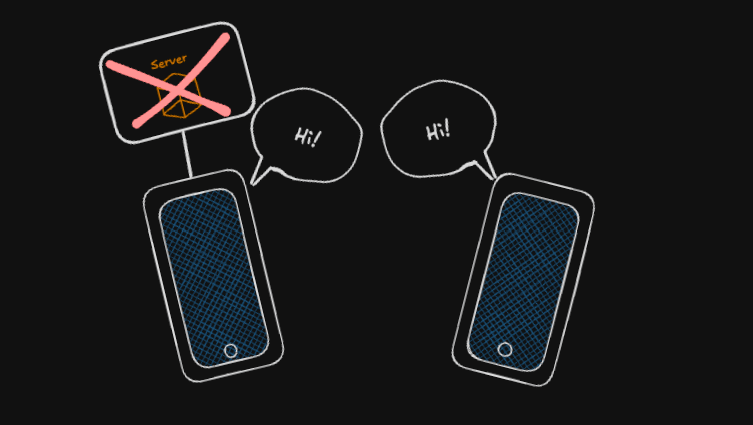
This is a question that is not asked very often. It seems so obvious that most apps need a backend to synchronize data, perform operations, and interact with it — but do they really?
Data is a currency now, but how often do we think about the responsibility of managing it on our own servers? There are many regulations around how data should be handled and maintained, such as GDPR.
Now imagine that you do not need a backend for everything. You can build proper tools and give them to your users so they can manage their own data. It is faster, safer (because there is no centralized point aggregating all the data), and cheaper.
Data transfer use case — account data transfer
In Proof Pocket, accounts are local. Because we often change our mobile devices, there needs to be a way to export all of your data from one device to another.
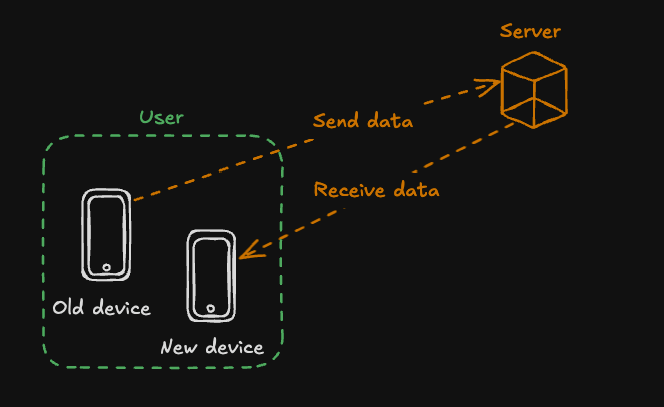
The first idea is to have a server act as middleware, receiving the data from the old device and then sending it to the new device.
Server as middleware
Cons:
- we need an authentication method to provide secure data transfer
- the server hosts sensitive data
- data is first sent to a server over the internet just to come back to the same user
- there is a single point of failure for all users if the server goes down
Pros:
- effortless for the user
Direct data transfer
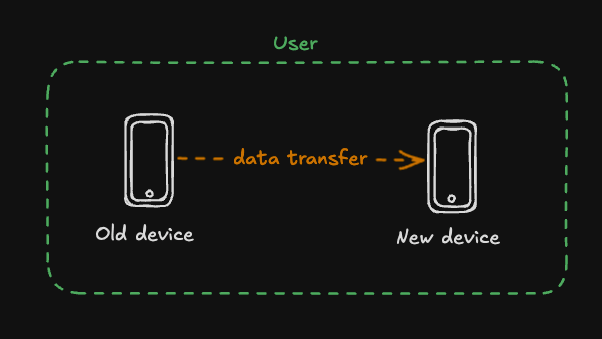
Cons:
- the user needs a way to pair the two devices
Pros:
- no server costs
- no responsibility for sensitive data, because everything stays in the user's context
- no unnecessary traffic over the internet
- much faster
- no single point of failure — even if something does not work for one user due to a specific device issue, it does not mean everyone loses access to this feature
This was a clear decision, because from a business perspective you do not necessarily need access to user data.
Of course, there is a downside: you cannot provide cloud sync or backups for your users in the same way. But there are still ways to offer this functionality. More on that in future blog posts :)
Technicalities
There are at least two ways to create a peer-to-peer connection (who remembers the good old IrDA used on older phones? :) ): over Bluetooth or via Wi-Fi.
Both have their pros and cons. We decided to use a Wi-Fi connection because it allows us to send more data, faster, between devices. The app stores encrypted document scans, files, and a small local database, so everything needs to be transferred between the devices — and it is simply much faster over a local network.
Flow
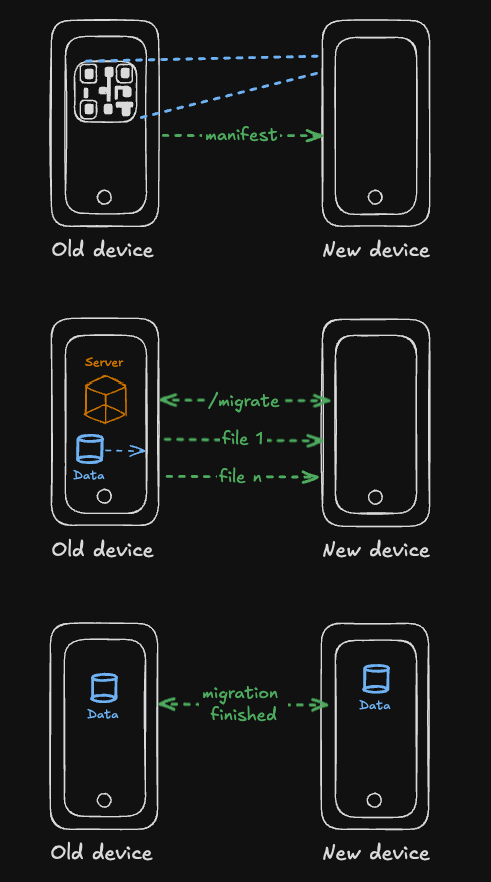
- On the old device, a QR code is generated containing all the necessary information needed to pair the devices, such as app version, temporary auth token, connection details, and how many files need to be migrated.
- A temporary local server is created on the old device so the other device can connect via Wi-Fi.
- The new device scans the QR code and obtains the information about how to connect to the old phone and how to authorize itself.
- The new device initiates the connection using a simple API and starts fetching the files one by one.
- Once finished, it runs the full local migration to populate the local database and save the files in the proper app sandbox folder.
- Because the data is already encrypted, the user is then prompted to enter the master password on the new device.
The main downside is that the user needs to have both devices on the same Wi-Fi network (a local hotspot also works), so proper onboarding is required to avoid confusion during the process.
My hypothesis is that users may be more familiar with Bluetooth pairing, but the speed benefits and flexibility of sending data over a local network are significant.
That's it!
Thanks for reading, and see you in the next post :)