Proof Pocket 1.6.0: Cases — share documents as one encrypted file
Proof Pocket 1.6.0 adds cases — group related documents together, filter your dashboard by them, and hand a whole case to someone else as a single password-protected file.
· 3 min read
What's new in 1.6.0
Documents rarely live alone. Your kid's medical results, the paperwork for one car, the folder you need for a single trip — they belong together, and quite often they belong to someone else too.
Version 1.6.0 introduces cases. A case is a group of documents. You can use it to filter your dashboard, and you can share the whole thing as one encrypted file that the other person imports into their own Proof Pocket — no account, no cloud, no link that expires.
A few situations where this helps
Your kid's medical file. Test results, an MRI scan, a referral. You keep them in a case named after your kid, and when your partner needs them, you send the case over. They import it and have exactly the same documents on their phone.
Handing over a car. Insurance, service history, registration. One case, one file, sent to the buyer or to the family member who is borrowing it for the summer.
A trip. Passports, bookings, insurance. Group them, share them with whoever is travelling with you, and filter your dashboard down to just those documents while you are away.
Grouping and filtering
Cases sit right above your document list. Tap one and the list below narrows to just that case; tap All to go back.
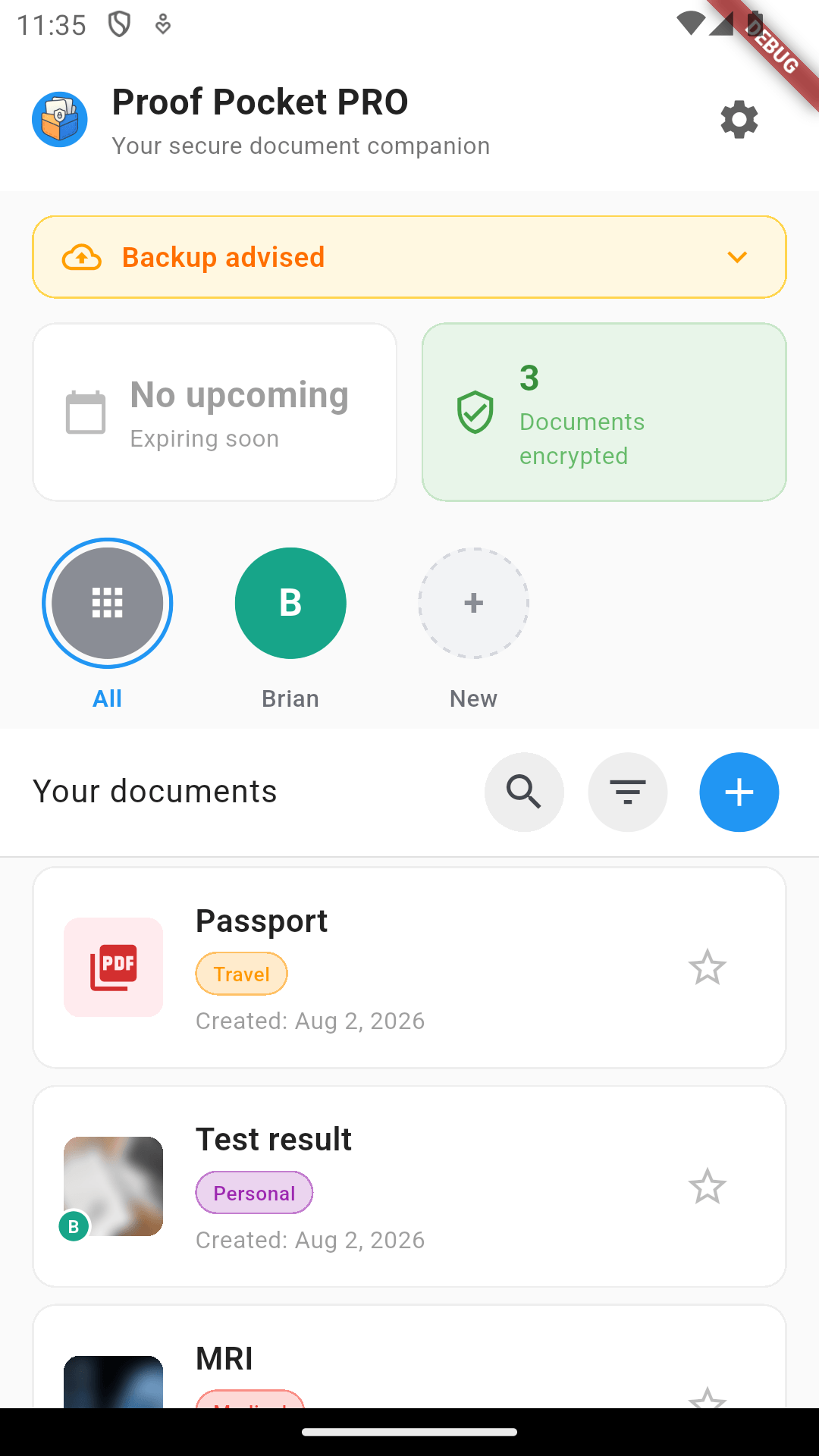
The + New circle creates a case. Documents get assigned to it as you add or edit them, and the small badge on a document thumbnail tells you which case it belongs to.
Sharing a case
Long-press a case (or use the … menu) to open its options. Alongside rename and change colour there is now Share case.
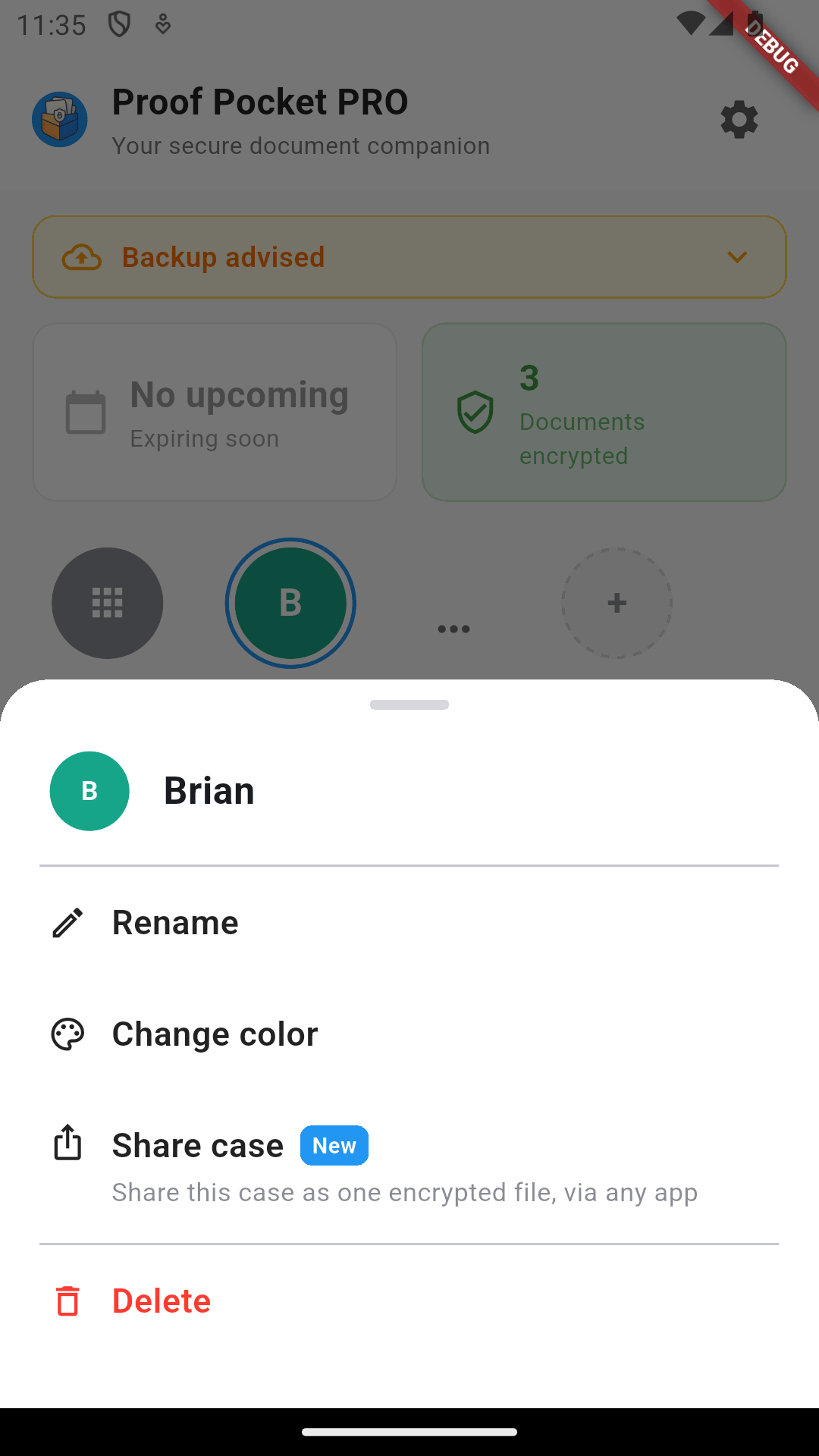
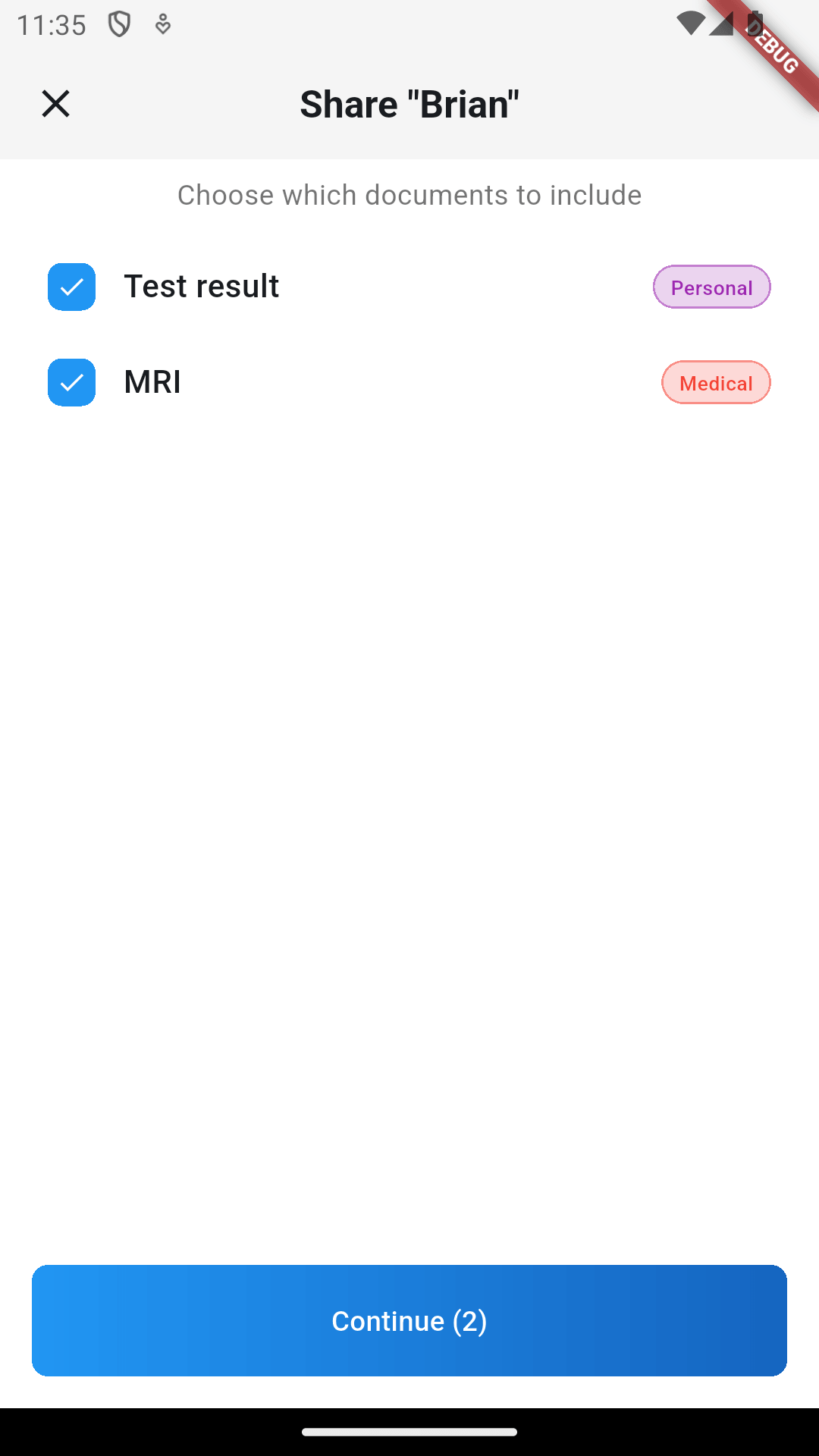
You do not have to share everything in the case. The next screen lets you pick exactly which documents go into the bundle.
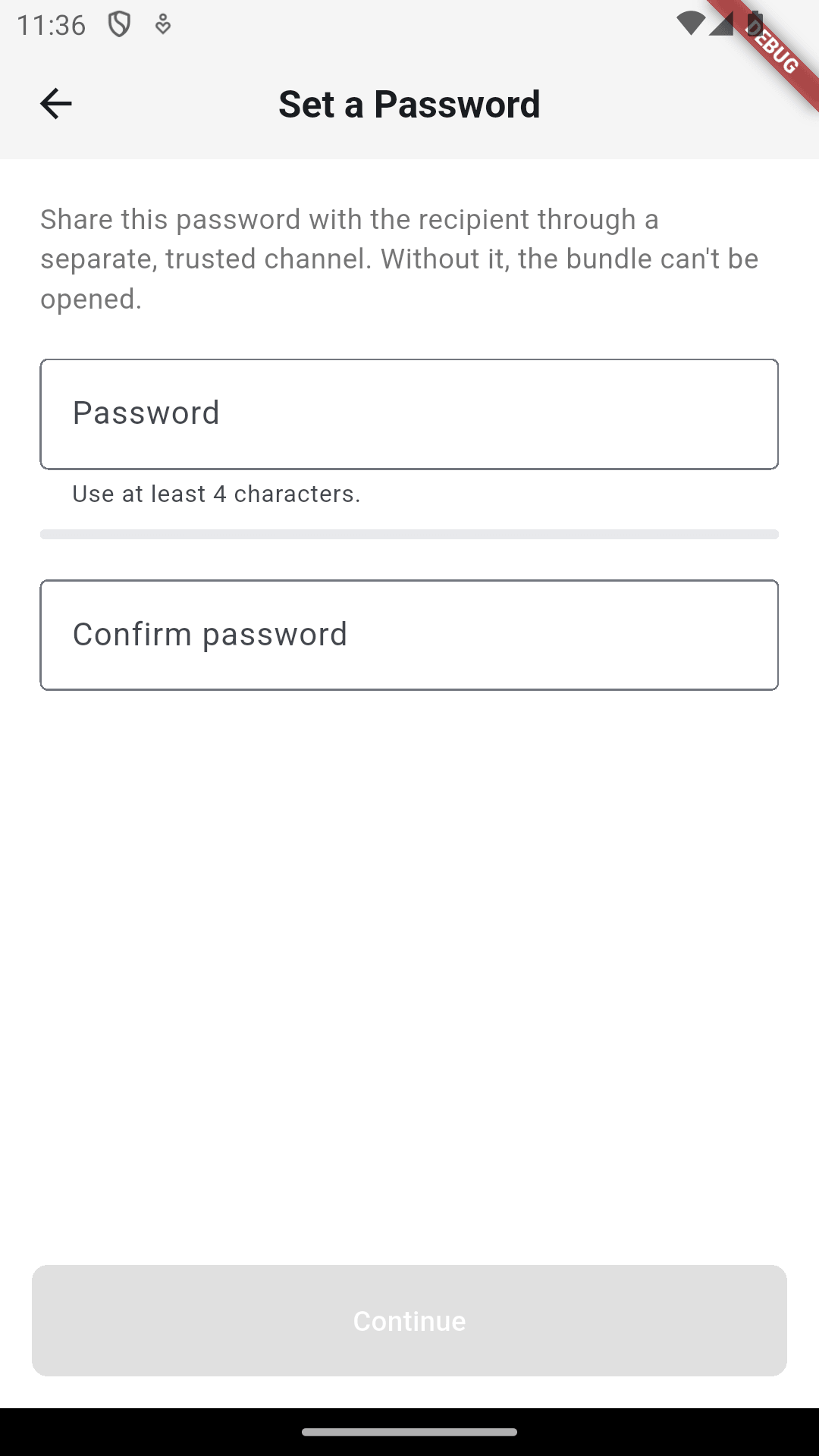
Then you set a password. This is what the bundle is encrypted with — without it the file is unreadable, so send it to the other person through a different channel than the file itself.
After that the system share sheet opens and you send the file wherever you like: messenger, email, AirDrop, a USB cable. Proof Pocket never sees it.
Importing on the other side
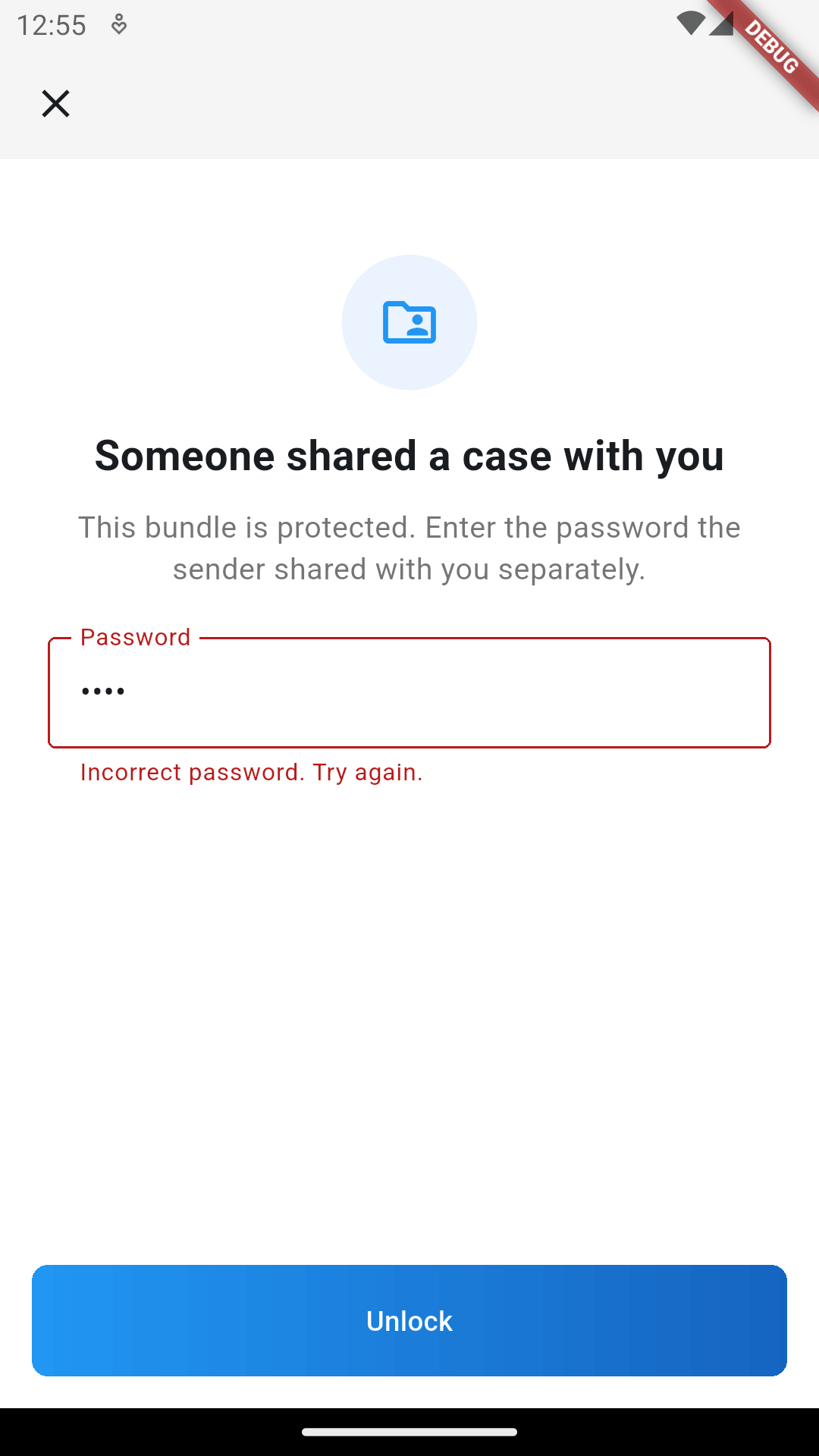
The recipient opens the file with Proof Pocket and is asked for the password.
Once unlocked, they see what is inside before committing to anything — the case name, the number of documents, the total size.
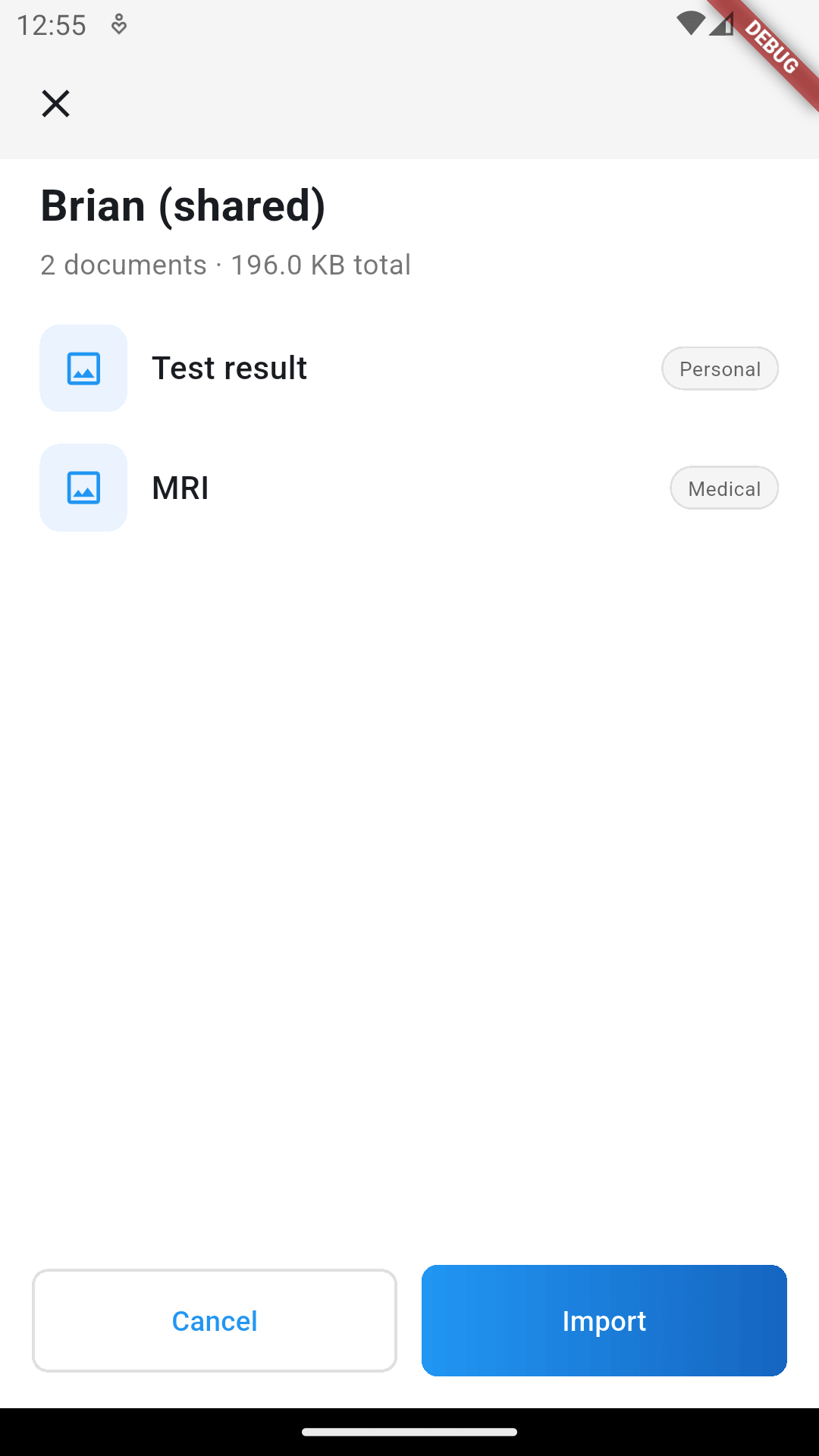
Tapping Import creates the case on their device with all the documents in it. Importing works on the free version too, so the person you are sending to does not need a subscription to receive what you send.
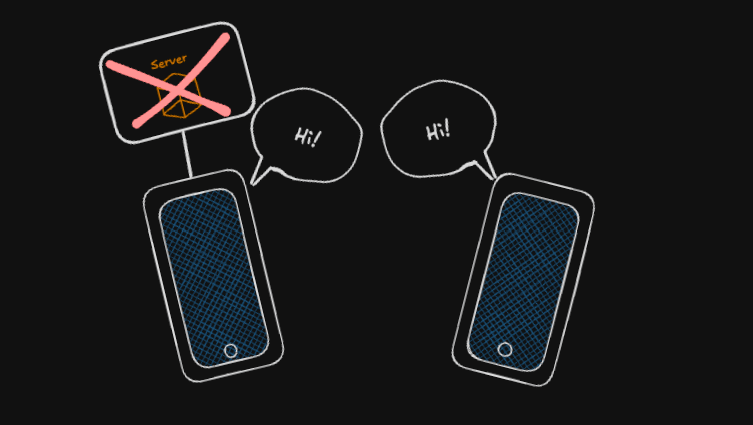
The bundle is a plain encrypted file. There is no server involved, nothing to expire, and nothing sitting in someone's cloud account waiting to be found.
That's it
Cases are available now in Proof Pocket 1.6.0. Thanks for reading, and see you in the next post :)